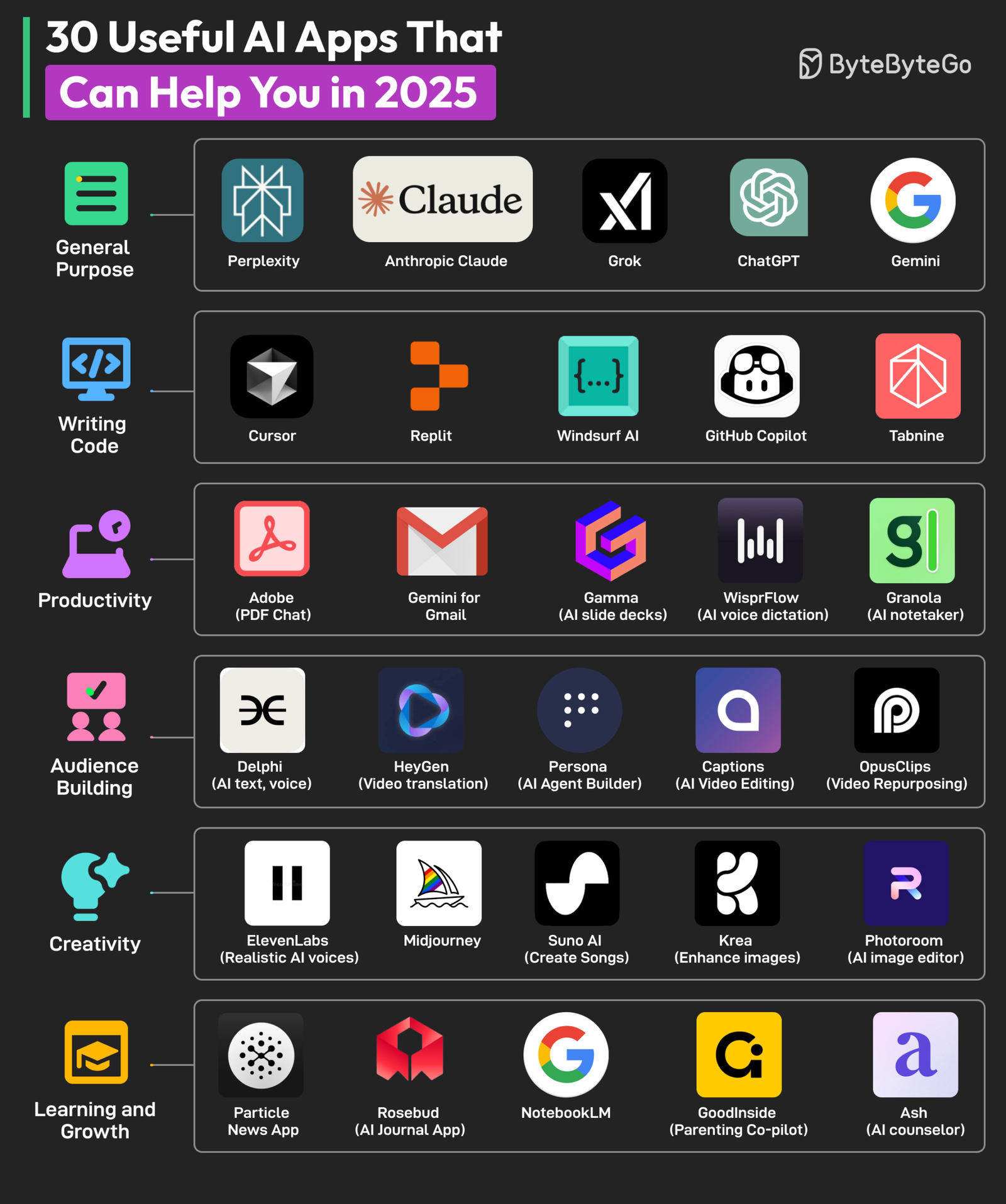
Artificial intelligence has become part of everyday life, helping people write emails, organize schedules, translate languages, edit photos, summarize documents, and even learn new skills. Whether you’re a student, professional, content creator, or casual smartphone user, AI-powered apps can save time and make daily tasks easier.
The best AI apps combine advanced machine learning with user-friendly interfaces, allowing anyone to benefit from artificial intelligence without needing technical knowledge.
In this guide, we’ll explore the best AI apps for everyday use in 2026, compare their features, pricing, and platforms, and help you find the right tools for your needs.
Why Use AI Apps?
AI apps can help you:
- Write emails, articles, and reports
- Summarize long documents
- Generate creative ideas
- Translate languages
- Edit photos and videos
- Organize schedules and tasks
- Improve productivity
- Learn new subjects more efficiently
Whether you’re working, studying, or managing your personal life, AI can automate repetitive tasks and improve efficiency.
1. ChatGPT
Best for: Everyday AI Assistant
ChatGPT is one of the most versatile AI assistants available. It can answer questions, generate content, explain concepts, write code, brainstorm ideas, summarize information, and assist with countless daily tasks.
Key Features
- Natural conversations
- Writing assistance
- Coding help
- Document summarization
- Brainstorming
- Language translation
- Image understanding (supported plans)
Pros
- Easy to use
- Highly versatile
- Available on web and mobile
- Suitable for students and professionals
Cons
- Some advanced features require a paid subscription
Best For: Anyone looking for an all-purpose AI assistant.
2. Google Gemini
Best for: Google Ecosystem Users
Gemini integrates with Google services to assist with research, writing, planning, and productivity.
Features
- AI search assistance
- Gmail support
- Google Docs integration
- Summaries
- Image generation
- Multimodal AI
Pros
- Strong Google integration
- Fast responses
- Cross-device support
Cons
- Some premium features require a subscription
3. Microsoft Copilot
Best for: Microsoft 365 Productivity
Microsoft Copilot brings AI assistance to Word, Excel, PowerPoint, Outlook, and Windows.
Features
- AI writing
- Spreadsheet analysis
- Email drafting
- Presentation creation
- Meeting summaries
- Windows integration
Pros
- Excellent business productivity
- Seamless Microsoft integration
- Great for office work
Cons
- Best experience with Microsoft 365
4. Grammarly
Best for: Writing and Grammar
Grammarly uses AI to improve grammar, spelling, tone, clarity, and writing quality.
Features
- Grammar correction
- Tone suggestions
- AI writing assistance
- Plagiarism detection
- Browser extensions
Pros
- Improves professional writing
- Easy integration
- Real-time suggestions
Cons
- Advanced features require Premium
5. Canva AI
Best for: Graphic Design
Canva includes AI-powered tools that help users create social media graphics, presentations, logos, and marketing materials.
Features
- Magic Design
- AI image generation
- Background removal
- AI writing
- Presentation builder
- Brand templates
Pros
- Beginner-friendly
- Huge template library
- Excellent collaboration
Cons
- Premium subscription unlocks more AI features
6. Notion AI
Best for: Notes and Productivity
Notion AI enhances note-taking, project management, and document writing with built-in AI assistance.
Features
- AI writing
- Document summaries
- Meeting notes
- Brainstorming
- Task generation
- Database support
Pros
- Saves time
- Excellent workspace organization
- Strong collaboration tools
Cons
- AI features require an additional subscription
7. Perplexity AI
Best for: AI-Powered Research
Perplexity AI provides conversational answers with cited sources, making it useful for research and learning.
Features
- AI search
- Source citations
- Research assistance
- Document analysis
- Follow-up questions
Pros
- Fast research
- Source-backed responses
- Simple interface
Cons
- Premium features available via subscription
8. Adobe Express AI
Best for: Creative Content
Adobe Express uses AI to simplify graphic design, social media content, and image editing.
Features
- AI image generation
- Text effects
- Background removal
- Video editing
- Social media templates
Pros
- Professional-quality designs
- Easy to learn
- Excellent templates
Cons
- Some premium features require payment
9. Otter.ai
Best for: Meeting Notes
Otter.ai automatically records, transcribes, and summarizes meetings and lectures.
Features
- Live transcription
- AI summaries
- Speaker identification
- Meeting notes
- Searchable transcripts
Pros
- Accurate transcription
- Saves time
- Great for professionals and students
Cons
- Free plan has usage limits
10. Duolingo Max
Best for: Language Learning
Duolingo Max uses AI to provide conversational language practice and personalized explanations.
Features
- AI conversations
- Speaking practice
- Personalized lessons
- Grammar explanations
- Progress tracking
Pros
- Interactive learning
- Fun interface
- Personalized experience
Cons
- AI features require a subscription
Comparison Table
| App | Best For | Free Version | Platforms |
|---|---|---|---|
| ChatGPT | Everyday AI Assistant | Yes | Web, Windows, macOS, Android, iOS |
| Google Gemini | Google Productivity | Yes | Web, Android, iOS |
| Microsoft Copilot | Office Work | Yes | Windows, Web, Android, iOS |
| Grammarly | Writing | Yes | Web, Windows, macOS, Android, iOS |
| Canva AI | Graphic Design | Yes | Web, Windows, macOS, Android, iOS |
| Notion AI | Productivity | Limited | Web, Desktop, Mobile |
| Perplexity AI | Research | Yes | Web, Android, iOS |
| Adobe Express AI | Creative Design | Yes | Web, Android, iOS |
| Otter.ai | Meeting Notes | Yes | Web, Android, iOS |
| Duolingo Max | Language Learning | Trial | Android, iOS |
How to Choose the Best AI App
Before downloading an AI app, consider your primary use case.
Writing and Content Creation
ChatGPT, Grammarly, and Notion AI are excellent for writing emails, articles, reports, and brainstorming ideas.
Research and Learning
Perplexity AI and Google Gemini are ideal for finding information, summarizing content, and learning new topics.
Graphic Design
Canva AI and Adobe Express AI make it easy to create professional-quality graphics without advanced design skills.
Business Productivity
Microsoft Copilot and Otter.ai help professionals manage meetings, documents, and communication more efficiently.
Everyday Assistance
If you want one app that can help with a wide range of tasks, ChatGPT is one of the most versatile options available.
Tips for Using AI Apps Effectively
To get the best results from AI tools:
- Give clear and specific instructions.
- Review AI-generated content before publishing or sharing it.
- Use AI to assist your work rather than replace critical thinking.
- Combine multiple AI apps for different tasks.
- Protect sensitive personal or business information when using online AI services.
- Keep your apps updated to access the latest features and security improvements.
Frequently Asked Questions
What is the best AI app for everyday use?
ChatGPT is one of the most versatile AI apps, capable of helping with writing, learning, planning, coding, brainstorming, and everyday questions.
Are AI apps free?
Many AI apps offer free versions with basic features, while premium subscriptions unlock advanced capabilities, faster performance, or higher usage limits.
Which AI app is best for students?
ChatGPT, Perplexity AI, Grammarly, and Notion AI are excellent for studying, writing assignments, researching topics, and organizing notes.
Can AI apps improve productivity?
Yes. AI apps can automate repetitive tasks, summarize information, assist with writing, organize projects, and help users make better use of their time.
Is it safe to use AI apps?
Most reputable AI apps use security measures to protect user data. However, avoid sharing confidential or sensitive information unless you understand the app’s privacy policies and data handling practices.
Final Thoughts
AI apps are transforming the way people work, study, and manage daily life. ChatGPT stands out as an all-purpose AI assistant capable of handling a wide variety of tasks, while Google Gemini and Microsoft Copilot integrate deeply with their respective productivity ecosystems. Grammarly improves writing, Canva AI simplifies design, and Perplexity AI is a strong choice for research. For meeting notes, Otter.ai saves valuable time, while Duolingo Max brings AI-powered language learning to everyday users.
Choose the apps that best match your needs, and use them consistently to save time, enhance creativity, and improve productivity in both your personal and professional life.